All products
Vercel DevOps for Jira logo

Vercel DevOps for Jira

See Vercel deployments on the Jira issues you're already working on.

Paid Powered by Atlassian Forge
Features

Why teams use Vercel DevOps for Jira

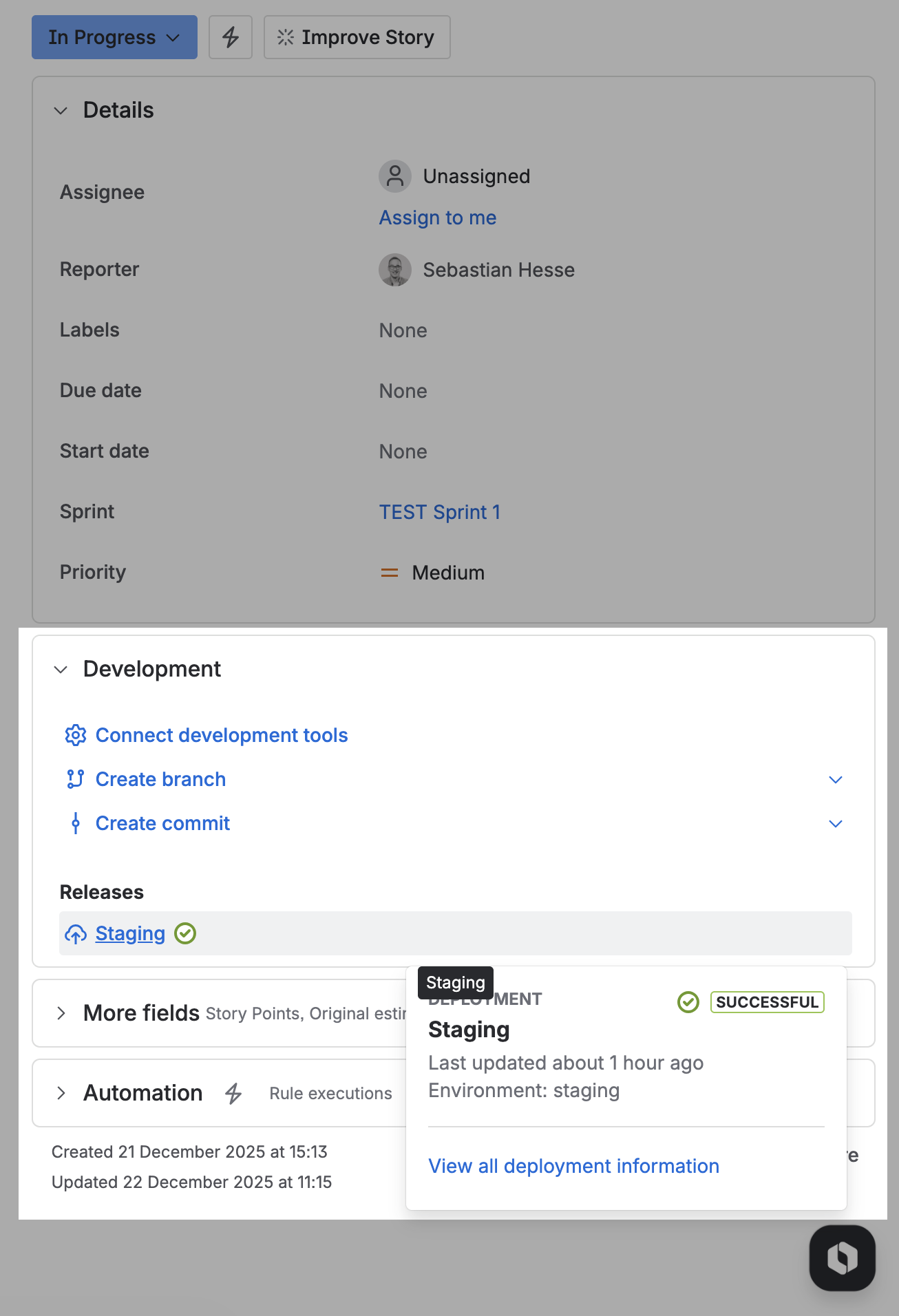
Vercel deployments appear on Jira issues automatically

Mention a Jira issue key in a commit message and the matching Vercel deployment shows up on that issue with environment, status, and timestamp. No manual linking required.
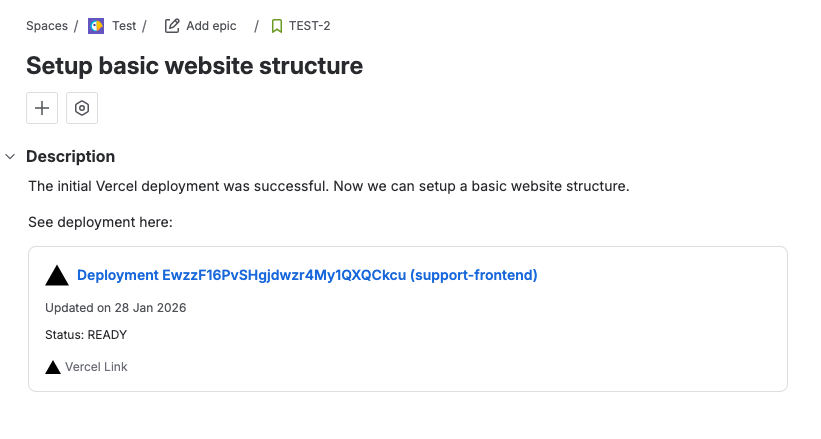
Vercel URLs in Jira render as rich inline previews

Paste a Vercel team, project, or deployment link anywhere in Jira and it expands into an inline preview with the context your teammates need.
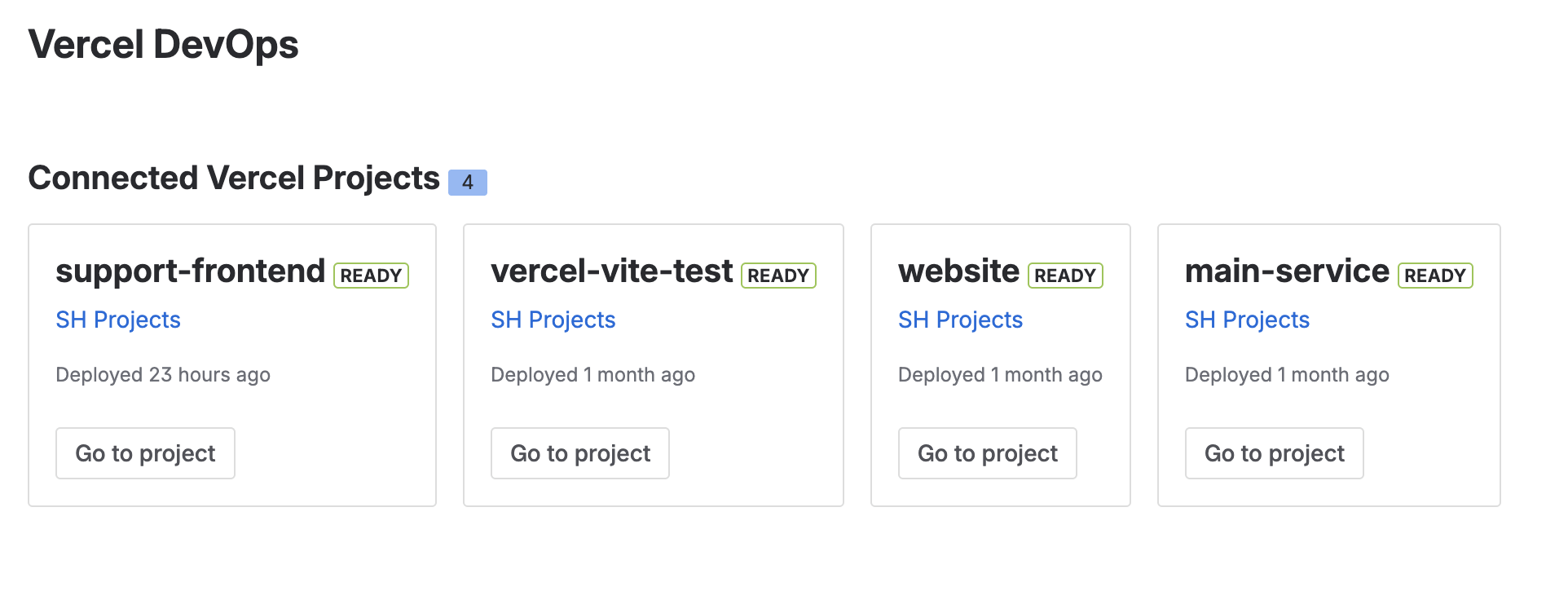
Wire up Vercel and Jira in under five minutes

Pick which Vercel projects belong to which Jira project from a single dropdown. After that, deployment tracking and Smart Links keep working with no ongoing configuration.

FAQ

Common questions

What is Vercel DevOps for Jira?
Vercel DevOps for Jira is an Atlassian Marketplace app that surfaces Vercel deployment information directly on Jira issues and turns Vercel URLs in Jira into rich Smart Link previews.
Who is it for?
Teams running Jira for project tracking and Vercel for deployments. If developers reference Jira issue keys in commit messages, deployments become visible to everyone on the issue.
How do I install Vercel DevOps for Jira?
Install it from the Atlassian Marketplace, add a Vercel API token in the app settings, then pick which Vercel projects map to which Jira projects. The Get started guide covers the full setup.
How much does it cost?
Vercel DevOps for Jira is a paid app. See the latest pricing on the Atlassian Marketplace pricing page.
How does deployment-to-issue linking work?
When a commit message mentions a Jira issue key (for example, ABC-123) and that commit is deployed through Vercel, the deployment shows up on the matching Jira issue with environment, status, and timestamp. No manual linking needed.

Ready to install Vercel DevOps for Jira?